Amazon India is one of the easiest places to start selling online. Registration is free, takes about 30 minutes, and you can be live within a few days. But a few choices you make at sign-up — especially around GST and shipping — affect your taxes and margins for years. Here’s how to do it properly.
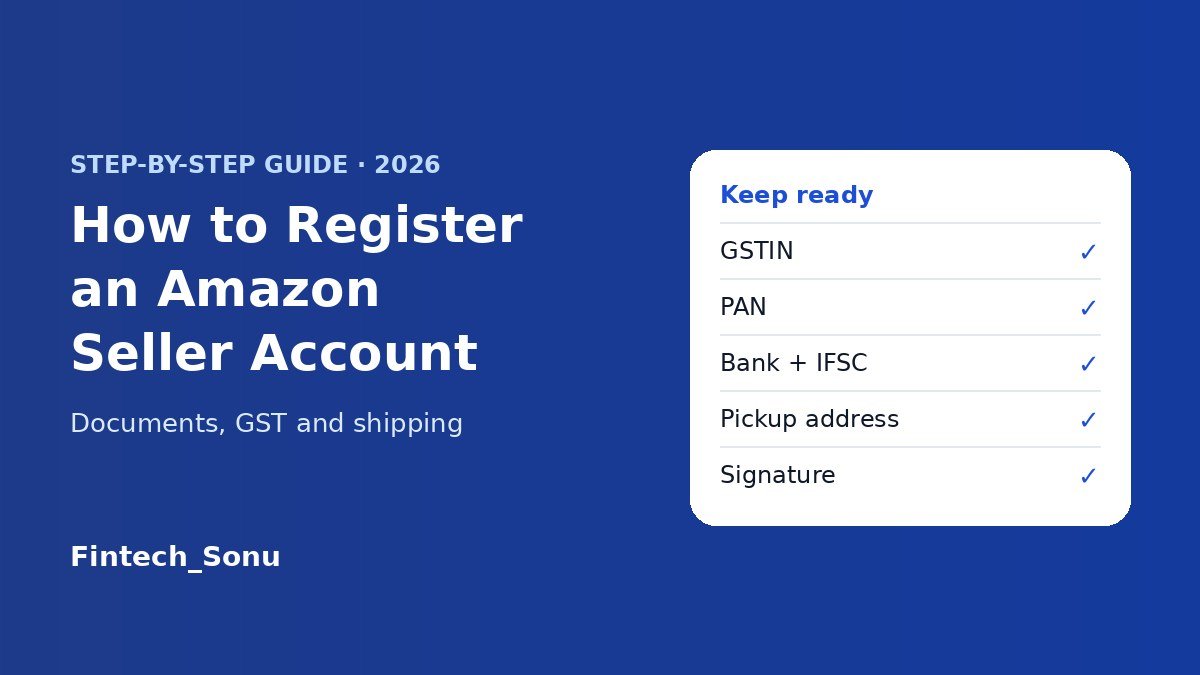
Before you start: keep these ready
| Document or detail | Why it’s needed |
|---|---|
| Mobile number and email | To create and log in to your seller account |
| GSTIN | Required for most products (see the GST section below) |
| PAN | Your business PAN, or your personal PAN if you are a sole proprietor |
| Bank account and IFSC | Where Amazon sends your payouts; the name should match your business |
| Business address and pickup address | For your invoices and for courier pickups |
| Signature | Printed on your tax invoices |
| ID proof | Amazon may ask for identity verification during sign-up |
Do you need GST to sell on Amazon?
For most sellers, yes. Under Section 24 of the CGST Act, anyone selling through an e-commerce operator that collects TCS must register for GST, whatever their turnover.
There is one narrow exception. Since 1 October 2023, small sellers can sell goods through marketplaces without GST registration if:
- their total turnover is below the GST threshold (₹40 lakh for goods in most states; ₹20 lakh in some special-category states),
- they sell only within their own state, and
- they don’t need GST registration for any other reason.
They must get an enrolment number on the GST portal using their PAN instead. The catch: you can’t ship to other states, and you can’t keep stock in an Amazon warehouse in another state. Most sellers who want to grow choose a regular GSTIN from the start.
A few product categories that are fully exempt from GST can be listed without a GSTIN. Amazon shows these during sign-up.
Step-by-step: registering on Amazon Seller Central
- Go to sell.amazon.in and click Start selling.
- Create your account with your email or mobile number and verify it with the OTP.
- Enter your legal business name exactly as it appears on your GST or PAN, and accept the seller agreement.
- Add your GSTIN (or your enrolment number, if you use the small-seller route).
- Set up your store: store display name, business address, pickup address, and the product categories you plan to sell.
- Choose how you will ship (more on this below).
- Add your bank account for payouts.
- Add tax details: PAN, and upload your signature for invoices.
- Complete identity verification if Amazon asks for it.
- List your first products — title, images, price, HSN code, GST rate, and stock.
Amazon doesn’t charge a registration fee. You pay fees only when you sell — usually a referral fee, a closing fee and shipping fees on each order.
Choosing a shipping method
| Option | How it works | Good for |
|---|---|---|
| Easy Ship | You pack; Amazon’s courier picks up and delivers | Most new sellers |
| Fulfilled by Amazon (FBA) | You send stock to Amazon’s warehouse; Amazon packs and ships | Fast-moving products, Prime badge |
| Self Ship | You use your own courier | Bulky or special items |
GST tip for FBA: if your stock sits in an Amazon warehouse in another state, that warehouse becomes your additional place of business, and you generally need GST registration in that state too. Plan this before sending stock.
Mistakes to avoid at sign-up
- Business name mismatch between GST, PAN and bank — the most common cause of verification delays.
- Wrong HSN code or GST rate on listings, which then shows up on every invoice.
- Pricing without counting fees. Check your real payout per order before you set prices — try our free Amazon payout calculator.
- Ignoring compliance after you go live. Once you sell, you file GSTR-1 and GSTR-3B every month, report marketplace sales in Table 14, and claim back the TCS and TDS Amazon deducts.
After your first sale
Once orders start, set up a simple monthly routine: download your settlement and tax reports, book sales and fees in your accounting software, reconcile payouts with your bank, and file GST on time. These guides will help:
- GSTR-1 for Amazon, Flipkart and Meesho sellers
- TCS and TDS on marketplace sales: how to claim them back
- Amazon marketplace reconciliation: a practical guide
Amazon’s sign-up screens change from time to time, so the exact wording may differ slightly. This article is general information, not legal or tax advice for your situation.
Starting on Amazon? We help new sellers with GST registration, Amazon onboarding, pricing and monthly accounts. Talk to us on WhatsApp.