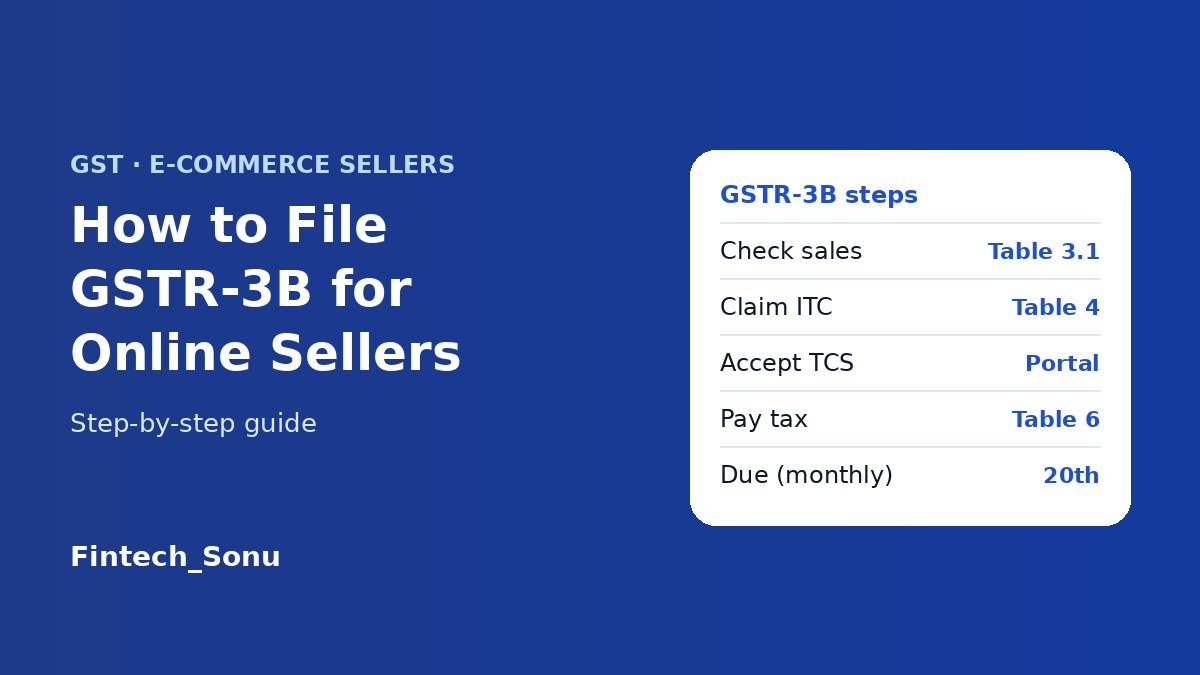
If you sell on Amazon, Flipkart, Meesho or your own Shopify store, GSTR-3B is the return where you actually pay your GST each month. It’s a summary return — but for e-commerce sellers, a few lines need extra care: marketplace sales, input tax credit on marketplace fees, and the TCS that marketplaces deduct from your payouts.
Here’s how to prepare it step by step.
GSTR-1 vs GSTR-3B: what’s the difference?
| GSTR-1 | GSTR-3B | |
|---|---|---|
| What it shows | Details of every sale (invoice-wise or summary) | Summary of sales, input tax credit and tax payable |
| Payment | No payment | You pay your GST through this return |
| Monthly filers’ due date | 11th of next month | 20th of next month |
Businesses under the quarterly QRMP scheme have different dates. Always check the current due dates on the GST portal.
Before you start: collect these
- Your GSTR-1 for the month (marketplace and website sales, returns and credit notes)
- GSTR-2B — the auto-generated statement of input tax credit available to you
- Marketplace fee invoices (commission, shipping, storage, ads) — these carry GST you can claim
- The TDS and TCS credit received tile on the GST portal, where you accept marketplace TCS
- Your purchase register from Tally or your accounting software
Step 1: Check your sales (Table 3.1)
Table 3.1 shows your outward supplies and the tax on them. It is auto-filled from your GSTR-1 — so if GSTR-1 is right, Table 3.1 will be right. Check that:
- Sales from every channel are included — each marketplace, your website and any offline sales.
- Returns are netted off through credit notes.
- The split between IGST (other states) and CGST + SGST (your own state) matches your sales.
If you find a mistake in GSTR-1 after filing it, you can correct it through GSTR-1A before filing GSTR-3B.
Step 2: Claim input tax credit (Table 4)
This is where many sellers leave money on the table. You can claim GST paid on:
- stock and raw material purchases,
- marketplace fees — commission, closing fees, shipping, storage and advertising,
- packaging, courier, software, rent and professional fees.
Claim only what appears in your GSTR-2B. If a supplier hasn’t reported an invoice, follow up with them before claiming it. Reverse any credit that isn’t allowed, such as on blocked items or unpaid bills older than 180 days.
Step 3: Accept your marketplace TCS
Marketplaces deduct GST TCS of 0.5% from your payouts. Before paying tax, go to Services → Returns → TDS and TCS credit received, check and accept the TCS lines, and file. The accepted amount goes into your electronic cash ledger, and you can use it to pay your GST in Step 4. See our guide on claiming TCS and TDS on marketplace sales.
Step 4: Pay and file (Table 6)
- The portal calculates your tax payable after setting off input tax credit.
- Any balance is paid from your electronic cash ledger — including the TCS you accepted.
- If the cash ledger is short, create a challan (PMT-06) and pay online.
- Offset the liability and file with DSC or EVC.
Common mistakes e-commerce sellers make
- Booking only the net payout as sales, so both sales and fees are understated.
- Not claiming ITC on marketplace fees — often a large amount every month.
- Forgetting to accept TCS and paying the full tax in cash.
- Sales in GSTR-3B not matching GSTR-1, which leads to notices.
- Filing late — interest and late fees add up quickly.
Also read: GSTR-1 for Amazon, Flipkart and Meesho sellers.
This article is general information, not tax advice for your situation. Check the latest rules and due dates on the GST portal before filing.
Want your GST filed right every month? We prepare GSTR-1 and GSTR-3B for e-commerce sellers, claim every eligible credit and reconcile marketplace TCS. Talk to us on WhatsApp.