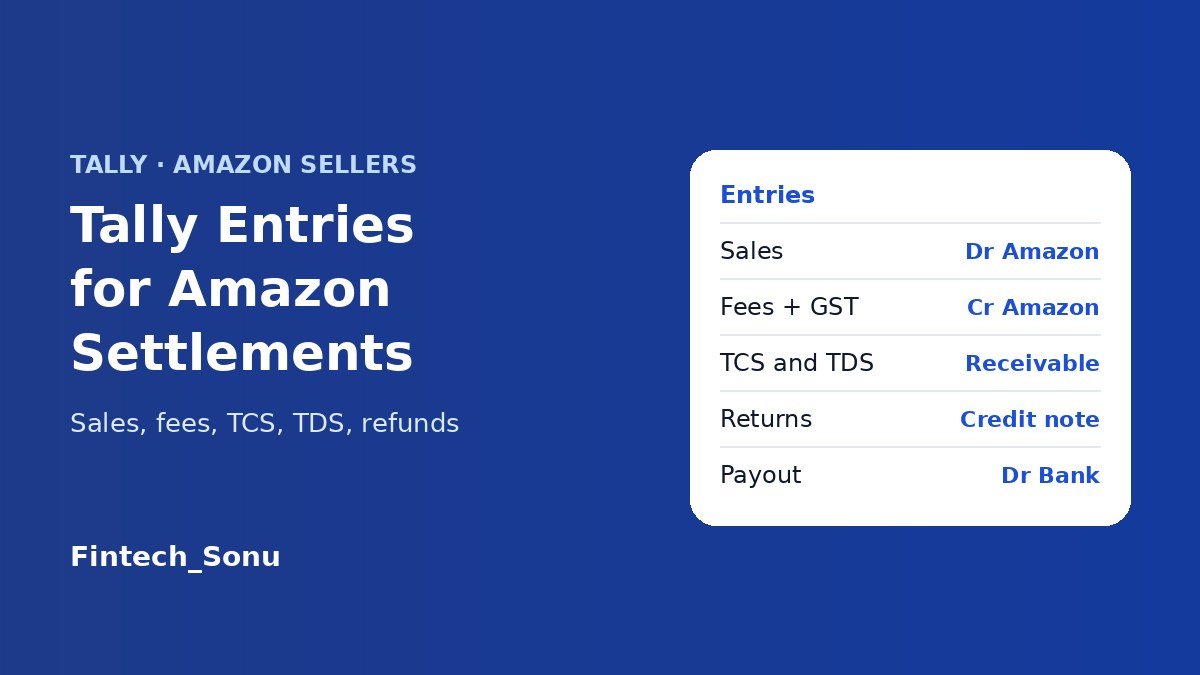
Amazon pays you one amount per settlement, but behind it are hundreds of sales, fees, refunds and tax deductions. If you only book the amount that reaches your bank, your sales, GST and profit will all be wrong. This guide shows how to record Amazon settlements properly in Tally.
Set up these ledgers first
| Ledger | Group in Tally |
|---|---|
| Amazon Seller Services (receivable) | Sundry Debtors |
| Sales – Amazon | Sales Accounts |
| Output CGST / SGST / IGST | Duties and Taxes |
| Amazon Commission and Closing Fees | Indirect Expenses |
| Amazon Shipping and Fulfilment Fees | Indirect Expenses |
| Input CGST / SGST / IGST | Duties and Taxes |
| GST TCS Receivable | Current Assets |
| TDS Receivable (marketplace) | Current Assets |
| Sales Returns – Amazon | Sales Accounts |
Entry 1: Record the sales
Record sales from Amazon’s monthly tax report (or the invoices generated in your name) as sales vouchers. Amazon is treated as your debtor, because it collects the money from customers for you.
| Account | Debit | Credit |
|---|---|---|
| Amazon Seller Services | Invoice value | |
| Sales – Amazon | Taxable value | |
| Output CGST + SGST or IGST | GST on sale |
Entry 2: Record Amazon’s fees
Amazon issues a monthly tax invoice for its fees, with GST. Book it as a purchase or journal voucher, so you can claim the input tax credit.
| Account | Debit | Credit |
|---|---|---|
| Amazon Commission and Closing Fees | Fee amount | |
| Amazon Shipping and Fulfilment Fees | Fee amount | |
| Input CGST + SGST or IGST | GST on fees | |
| Amazon Seller Services | Total fees + GST |
Entry 3: Record TCS and TDS deductions
Amazon deducts 0.5% GST TCS and 0.1% income-tax TDS. Both are credits you can claim back, so book them as receivables — not expenses.
| Account | Debit | Credit |
|---|---|---|
| GST TCS Receivable | TCS amount | |
| TDS Receivable | TDS amount | |
| Amazon Seller Services | TCS + TDS |
Entry 4: Record returns and refunds
For customer returns, record a credit note that reverses the sale and its GST.
| Account | Debit | Credit |
|---|---|---|
| Sales Returns – Amazon | Taxable value | |
| Output CGST + SGST or IGST | GST reversed | |
| Amazon Seller Services | Refund value |
Entry 5: Record the bank receipt
| Account | Debit | Credit |
|---|---|---|
| Bank | Settlement amount | |
| Amazon Seller Services | Settlement amount |
The check that tells you it’s right
After all entries, the Amazon Seller Services ledger should come close to zero — or equal to the payout Amazon has yet to send you. If there’s a big balance, something is missing: a fee invoice not booked, a refund not recorded, a reimbursement for a lost item, or ads charged outside the settlement.
Tips
- Book the full sale value, never just the net payout.
- Match input credit on Amazon’s fees with your GSTR-2B before claiming it.
- Accept TCS on the GST portal each month, and match TDS with Form 26AS.
- For high volumes, import data into Tally using Excel or XML instead of typing each order.
Also read: Amazon marketplace reconciliation: a practical guide.
Ledger names and voucher types can be adapted to your existing chart of accounts. This article is general guidance, not advice for your specific books.
Too many Amazon orders to book by hand? We automate Amazon and Shopify data into Tally and reconcile every settlement. Talk to us on WhatsApp.